EarnOS referral code: boost your first 24 hours by 50%
EarnOS is a rewards app that sits between the services you already use online and the rewards attached to those activities. Its promotional model is built around an “internet reward layer”: the app can recognise eligible interactions across participating services and show rewards or earning opportunities connected with them. This makes the referral offer different from a simple shopping discount or one-off voucher.
Use the supplied EarnOS referral code hnz7fr25aq through the EarnOS referral link. The referred user receives a 50% boost on everything they earn during their first 24 hours, subject to the app recognising the referral and applying the promotion to eligible earnings. In practical terms, an earning of £1 during that introductory period would receive an additional 50p boost if it is eligible under the live EarnOS rules.
The most important point is that this is a boost to earnings, not a guaranteed £50, £10 or fixed cash payment. The amount you receive depends on which EarnOS activities are available to you, what you actually complete during the first 24 hours and whether each activity qualifies. The referral code increases eligible earnings; it does not create earnings where there is no underlying qualifying activity.
Offer at a glance
| Offer detail | Current information |
|---|---|
| Provider | EarnOS |
| Referral code | hnz7fr25aq |
| Referral link | Open the EarnOS referral journey |
| Referred-user benefit | Everything you earn during the first 24 hours is boosted by 50% |
| Qualifying action | Join through the referral route and complete eligible earning activities shown in the EarnOS app |
| Boost period | The first 24 hours after the referral is recognised, according to the supplied offer |
| Reward type | A percentage boost applied to eligible earnings, not a guaranteed fixed cash amount |
| Important check | Read the activity-level rules and the reward balance in the app before relying on any earning |
What is EarnOS?
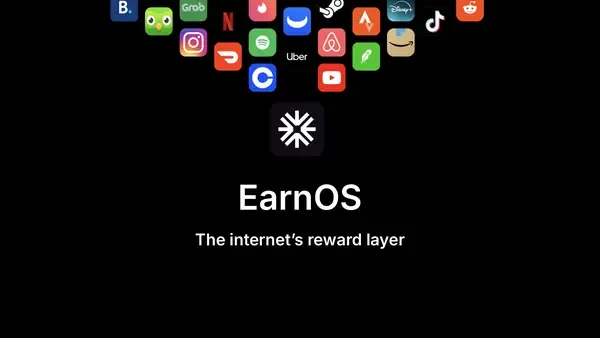
EarnOS presents itself as a reward layer for the internet. The supplied image for this page shows the EarnOS identity surrounded by familiar online services, which reflects the basic idea: rather than using a separate coupon for every website, a rewards layer can connect eligible online activity with an earning opportunity.
The exact earning experience depends on the services and offers currently available to your account. You may see opportunities associated with shopping, subscriptions, apps, entertainment, food, travel or other digital activity. Availability can change by country, device, account status, advertiser budget and campaign period, so a screenshot or review from another user is not a guarantee that you will see the same tasks.
EarnOS should therefore be approached as an offer-discovery and rewards platform rather than as employment or guaranteed income. You choose whether an activity is worth doing, and the provider or participating service controls the underlying purchase, sign-up, trial, subscription or other eligibility conditions.
How the 50% first-24-hours boost works
The supplied promotion gives the referred user a 50% boost on everything they earn during the first 24 hours. There are three separate steps to keep clear:
- Referral attribution: open the supplied link and use code
hnz7fr25aqas directed so EarnOS can associate the account with this invitation. - Underlying activity: complete an eligible earning activity shown in the app. The activity may have its own sign-up, purchase, completion, verification or timing conditions.
- Boost calculation: the eligible earning is increased by 50% during the introductory period. The boost applies to an earning that exists; it is not a separate fixed reward for simply registering.
For example, if an eligible activity normally credits £2, a 50% boost would add £1, making £3 before any separate withdrawal threshold, reversal or provider adjustment. If an activity earns nothing because its conditions were not completed, there is nothing for the boost to increase. The app’s own balance and transaction detail are the final record.
The timing matters. “First 24 hours” should be treated as a fixed introductory window beginning when the promotion is activated or the referral is recognised, rather than as 24 hours whenever you happen to return to the app. Start with the referral link, confirm that the offer is showing in your account and then plan your first activities so you do not waste the available boost period.
How to claim the EarnOS referral offer
- Open the supplied EarnOS referral link before downloading or registering.
- Enter referral code
hnz7fr25aqif the sign-up or promotion screen asks for a code. Use the exact lower-case characters. - Create a new EarnOS account using accurate personal details. Do not open duplicate accounts to try to repeat the introductory boost.
- Check the account, promotion or wallet screen for confirmation that the referral has been attached and the 50% boost is active.
- Review the available earning activities and open the terms for each one before starting.
- Complete an activity that you genuinely want to complete, paying attention to the stated action, deadline and exclusions.
- Keep a record of the activity, the time it was completed and the earning shown in the app while the first 24-hour window is active.
- Check the final balance and any withdrawal requirements before assuming that a boosted earning is immediately withdrawable.
Do not start an activity through a separate browser, old campaign link or unrelated app-store listing if the promotion requires tracking through EarnOS. Tracking systems commonly depend on the first click, device continuity, advertising permissions and the activity being completed in the required sequence.
What can count as an earning?
The answer depends on the live EarnOS activity list. A reward app may show different types of earning opportunity, including a retailer transaction, a sign-up, an app install, a survey, a subscription trial, a game milestone or another advertiser-defined action. Each activity should tell you what to do and what reward is expected.
Do not assume that every number shown beside an activity is guaranteed. Some tasks may show a maximum, an estimated amount, a pending amount or a reward that is only credited after advertiser verification. The 50% boost does not remove those underlying conditions. If the base reward is reversed because a purchase is returned, a trial is cancelled too early or an advertiser rejects the tracking, the related boost may also be removed.
Likewise, a reward may first appear as pending. Pending balances are not necessarily available for withdrawal and may be subject to a validation period. Check whether the app separates pending, confirmed and withdrawable balances before making decisions based on the displayed total.
How to make the most of the first 24 hours
Prepare before activating the offer. Decide which categories interest you, check that your device and payment method are available and avoid starting several complicated tasks at the same time. A clear sequence makes it easier to prove what happened if an advertiser later fails to track a completion.
- Use the referral link first: do not register independently and hope the code can be added later.
- Read the activity page: note minimum spend, new-customer status, deadline, device requirements and exclusions.
- Allow tracking: do not switch browsers or block required permissions midway through an activity unless EarnOS says that is supported.
- Choose realistic tasks: never buy a product, start a subscription or pay a fee solely because the boosted reward looks attractive.
- Capture evidence: keep screenshots of the activity instructions, confirmation and completion time.
- Watch the clock: prioritise activities you can finish and have verified inside the first 24 hours.
The best use of a percentage boost is an activity you already intended to complete. A 50% increase cannot make an unsuitable subscription, unnecessary purchase or risky financial product good value. Compare the total cost, cancellation terms and any ongoing commitment with the boosted reward.
Examples of the boost calculation
Suppose the app shows an eligible activity with a base earning of £4. A 50% boost adds £2, so the promotional total would be £6 if the activity is tracked and approved. If the activity pays 500 points rather than pounds, the boost should be understood in the same unit: 50% of 500 points is an additional 250 points, subject to how EarnOS displays and settles the reward.
These examples explain the arithmetic only. They do not promise that EarnOS will show a £4 task or that every points-based activity is included. The activity listing, promotion screen and transaction history are the authority for the current reward unit and eligibility.
If an activity has a maximum reward, the boost may be limited by that campaign’s rules. For example, a task could advertise a maximum credit, a capped bonus or a reward payable only once. Do not interpret “everything you earn” as permission to create multiple accounts, repeat an offer or bypass a provider’s new-customer restrictions.
Account, privacy and tracking considerations
Rewards platforms often need to track a click, registration, device and completion event. That can involve browser cookies, mobile advertising identifiers, app permissions or information shared with the participating advertiser. Read EarnOS’s privacy and account terms before accepting an activity, especially if it involves a third-party app or a subscription.
Use accurate details and one genuine personal account. Duplicate accounts, self-referrals, automated activity, altered device identifiers or attempts to conceal an existing customer relationship can cause an earning to be rejected and may lead to account restrictions. The introductory boost is not a reason to breach EarnOS or advertiser rules.
When an activity requires payment, check whether the provider will automatically renew a subscription or whether a free trial becomes chargeable. Set a reminder for cancellation if you do not intend to continue. The value of a boosted earning is not the same as the value of a product or service you do not need.
What the 50% boost does not mean
- It is not a guaranteed fixed cash bonus for signing up.
- It does not mean every activity in the app will be available to you.
- It does not remove minimum spend, new-customer or completion conditions.
- It does not guarantee instant approval or immediate withdrawal.
- It does not make returned purchases, cancelled trials or rejected tracking eligible.
- It does not authorise duplicate accounts or repeated use of a one-time advertiser offer.
- It does not guarantee that a displayed pending amount will become a confirmed reward.
If the referral code or boost is missing
First return to the supplied referral link and check the exact code: hnz7fr25aq. Confirm that you created a new account, that the promotion appears in your account and that the first 24-hour period has not already expired. If EarnOS has a promotion screen, take a screenshot before starting an activity.
For a missing activity reward, check whether you completed every step in the stated order. Confirm the time of completion, the device used, any purchase or sign-up requirement and whether the advertiser needs to approve the action. A pending reward may take time to validate, while an action outside the first 24 hours may not receive the boost.
If you contact support, provide the account email, referral code, referral link, activity name, click time, completion time, transaction ID and screenshots. Do not send passwords, full payment-card details or identity documents through an unofficial channel. Ask EarnOS which information it needs through its official support route.
Advantages and limitations
Potential advantages
- A 50% boost can materially increase an earning that you were already planning to complete.
- The introductory window creates a clear opportunity to focus on eligible activities.
- The app can bring multiple online reward opportunities into one place.
- The percentage structure may be more useful than a small fixed voucher for an active new user.
Potential limitations
- The total value depends on which activities are available and how much you complete.
- Advertiser tracking and approval can delay or reverse an earning.
- Some opportunities may involve spending money, signing up for a trial or sharing data.
- The 24-hour period is short, so joining without a plan can reduce the benefit.
- Cash-out thresholds, reward units and available activities may differ by account and change over time.
How EarnOS compares with ordinary cashback
Ordinary cashback usually attaches a percentage or fixed reward to a purchase through a retailer link. EarnOS appears broader: it presents a reward layer across different online activities, with the user’s earning depending on the offer and completion rules. That flexibility can be useful, but it also makes the terms more varied.
If you want predictable savings, compare the EarnOS reward with a direct discount, retailer cashback portal or loyalty scheme. A boosted reward is only valuable after you account for the price paid, subscription commitment, shipping, cancellation terms and the time needed to complete the activity.
Use EarnOS as an additional rewards route rather than assuming it is always the best route. Check whether using another cashback service would conflict with tracking. Many programmes do not allow two referral or cashback platforms to claim the same transaction.
Frequently asked questions
What is the EarnOS referral code?
The supplied EarnOS referral code is hnz7fr25aq. Enter it through the referral journey at https://ero.app/r/hnz7fr25aq?link=pqrrbsv6sm46.
What does the referred user receive?
The supplied offer gives the referred user a 50% boost on everything they earn during their first 24 hours, subject to EarnOS recognising the referral and the activity being eligible.
Is the 50% boost a £50 cash reward?
No. It is a percentage increase applied to eligible earnings. The amount depends on the base earnings you generate during the first 24 hours.
When does the 24-hour period start?
Use the promotion confirmation in your EarnOS account as the practical start point. The supplied offer describes the benefit as applying during the first 24 hours after the referral is recognised; check the live promotion wording for the exact timestamp.
Do all EarnOS activities qualify?
Do not assume so. Activity-level conditions, advertiser approval, new-customer requirements, tracking and timing rules can apply. Follow the instructions shown for each activity.
Can I create more than one account?
No. Use one genuine account and accurate details. Duplicate accounts or attempts to repeat one-time promotions can lead to rejected rewards or account restrictions.
What if the boost does not appear?
Check the code, referral link, new-account status, promotion confirmation and first-24-hours timing. Then contact EarnOS through its official support route with activity and timestamp evidence.
Should I spend money to earn the boost?
Only complete an activity if the underlying product or service is suitable for you. A 50% boost does not make an unnecessary purchase, subscription or fee worthwhile.
Verdict
The EarnOS referral offer is worth considering if you are comfortable trying a rewards app and can complete suitable activities soon after joining. The supplied code hnz7fr25aq and referral link give the referred user a 50% boost on eligible earnings during the first 24 hours. The strongest feature is the potential to increase several genuine early earnings rather than receiving one small fixed voucher. The main caveats are the short time window, activity-level conditions, tracking and approval, and the fact that the boost increases earnings rather than guaranteeing a cash amount. Start from the supplied link, confirm the boost in the app and choose only activities whose full terms and costs make sense.
References
- EarnOS referral journey — supplied referral link and promotion.